Are People Notified When You Unfollow Them on Instagram? The Truth Revealed
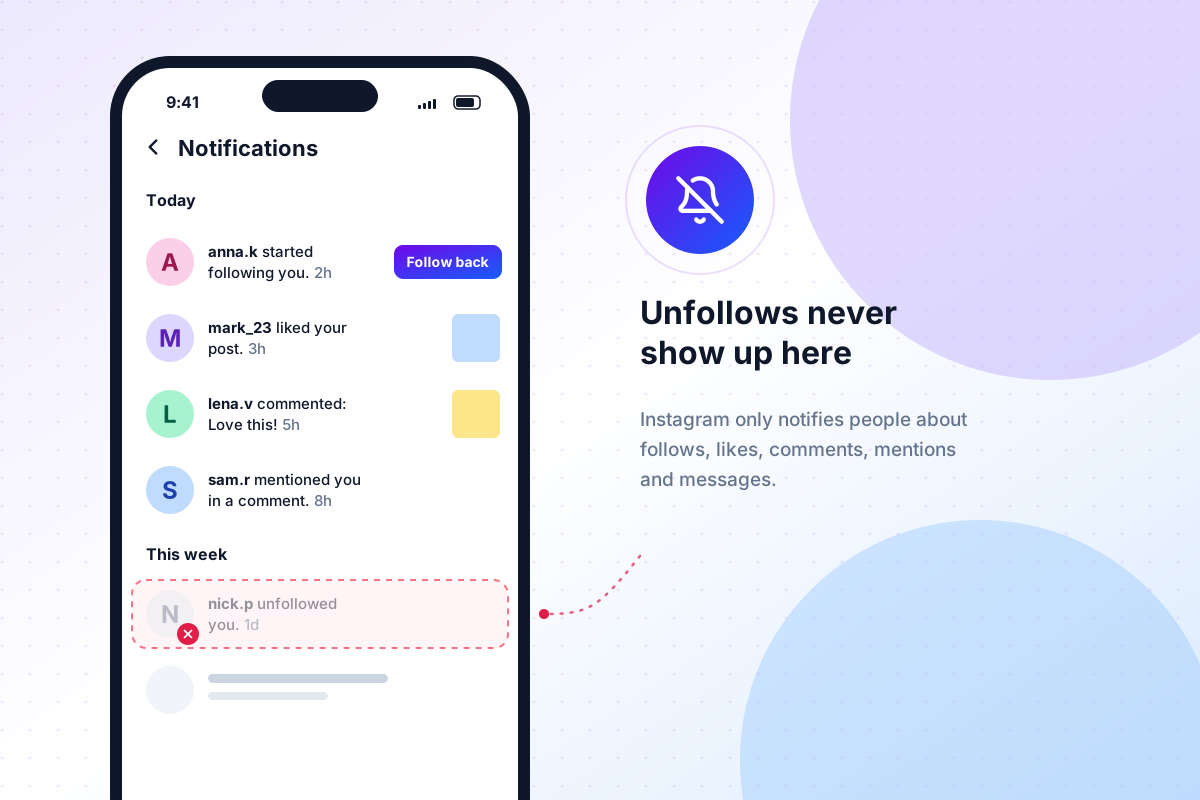
Short answer: no. Instagram does not notify people when you unfollow them. There is no push notification, no alert in their activity feed and no email. The only things that change are their follower count and their followers list, so someone who goes looking can still work out that you left.
"No notification" isn't the same as "nobody will ever know", though. Below we break down exactly what Instagram tells people and what it doesn't, what happens to your feed, stories and DMs after you unfollow, the few situations that do give you away, and how to manage your followers without drama.
Understanding Instagram's Notification System
How notifications work on Instagram
Instagram notifications are built around things that happen to you or with you. You get notified when someone:
- starts following you, or sends a follow request if your account is private
- likes or comments on your post, Reel or story
- mentions or tags you
- sends you a direct message
- goes live or posts something, if you turned on notifications for that account
Every item on that list is a positive or neutral interaction that pulls you back into the app. Instagram has never notified anyone about "negative" actions such as unfollowing, removing a follower, muting, restricting or blocking. Those stay silent by design, so people can curate their feed without social pressure.
So if you're asking "do you get notified when someone unfollows you on Instagram?", the answer is no. You don't get an alert when you lose a follower, and neither does anyone you unfollow.
Unfollowing vs. Removing a Follower
These two actions get mixed up a lot, but they work in opposite directions:
- Unfollowing: you stop following them. Their posts leave your feed, and you disappear from their followers list.
- Removing a follower: you make them stop following you. Your posts leave their feed, and they disappear from your followers list.
Neither action sends a notification. A removed follower can follow you again (or send a new request if your account is private), which is why blocking exists for people you want to keep out for good.
Here is a quick cheat sheet of Instagram's "quiet" actions:
| Action | Notification sent? | How they could find out |
|---|---|---|
| Unfollow | No | You're missing from their followers list and their follower count drops by one |
| Remove a follower | No | Your posts stop appearing in their feed and they're no longer in your followers |
| Mute | No | Practically impossible, since you still follow them |
| Restrict | No | Their new comments on your posts are only visible to them |
| Block | No | They can no longer find your profile or see your posts |
| Remove from Close Friends | No | They stop seeing your green-ring stories |
Do People Get Notifications When You Unfollow Them?
No. If you unfollow someone on Instagram, they are not notified: not by push notification, not in their activity tab and not by email. This is the same for public and private accounts, and for personal, creator and business profiles.
Can people see when you unfollow them on Instagram?
They can't see it happen, but they can see the result. Here's how someone could find out that you unfollowed them:
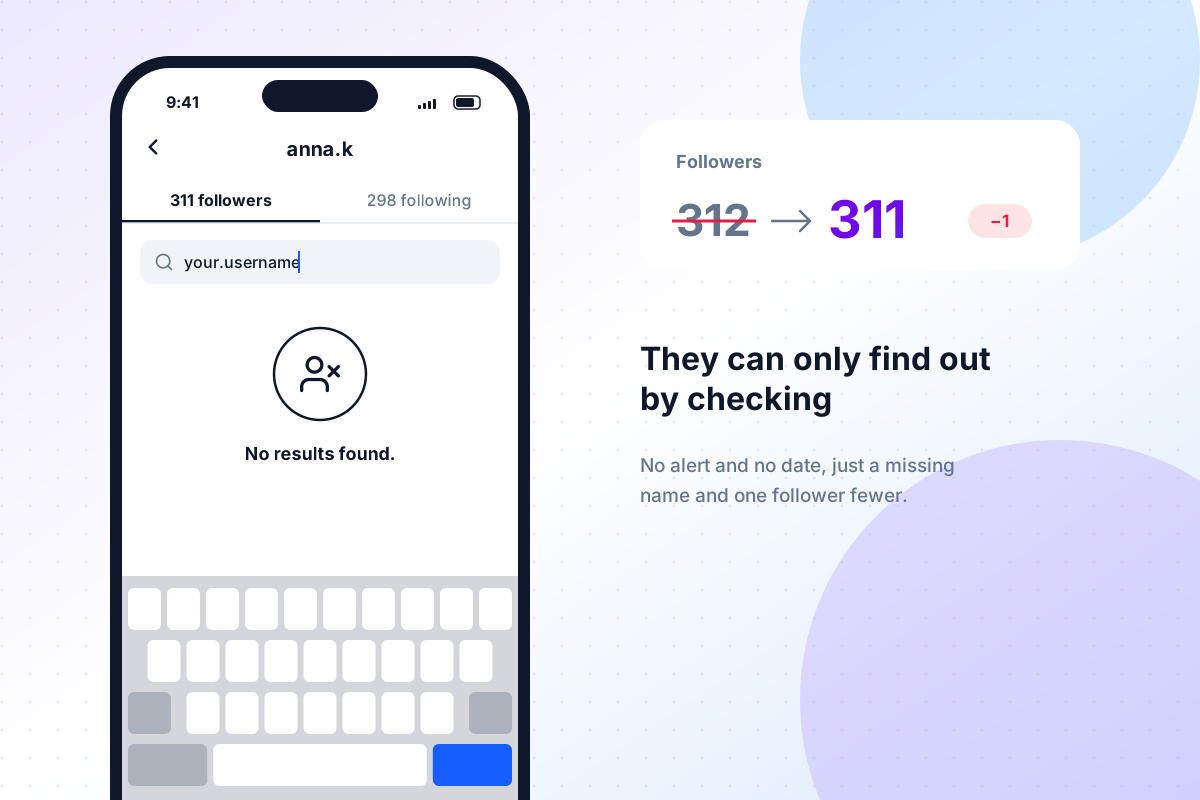
- Checking their followers list. If they open their followers and search for your username, you won't be there. Instagram shows no timestamp, so they know that you left, not when.
- Looking at your following list. If your profile is public, or they follow your private account, they can open your "Following" list and search for their own name.
- Watching their follower count. On a small account, a drop from 312 to 311 is easy to notice. On a large account, it gets lost in the daily ups and downs.
- Using a follower tracker. Some people regularly compare their follower lists, by hand or with a tool, specifically to catch unfollowers. We cover how those tools work below.
So, does someone know if you unfollow them on Instagram? Not automatically. They have to go looking.
Debunking common myths surrounding unfollow notifications
Myth 1: "Instagram added unfollow notifications." It hasn't. The rumor comes back every few months, but no version of the app (iOS, Android or web) alerts you when you lose a follower.
Myth 2: "If I follow and unfollow someone quickly, they'll never know." Not quite. The moment you tap Follow, Instagram can send them a "started following you" push notification. Unfollowing right after usually removes it from their activity feed, but a push notification that already landed on their lock screen stays there. If you follow and unfollow someone on Instagram, assume they may have seen the follow.
Myth 3: "Re-following is invisible." If you unfollow someone and follow them again later, they get a fresh "started following you" notification. If they remember you already followed them, they can put two and two together. With private accounts it's even more obvious: you have to send a new follow request, and they have to approve it.
Myth 4: "They'll stop seeing my posts." Unfollowing only changes your feed. If they still follow you, your posts and stories keep showing up for them.
Myth 5: "Other people can see a list of who I recently unfollowed." Instagram does keep a list of accounts you've
recently unfollowed, but only you can see it. It's part of your own data download (the
recently_unfollowed_profiles.json file, if you're curious).
What Happens if You Unfollow Someone?
Immediate effects of unfollowing
If you unfollow someone on Instagram, here's what happens the moment you tap "Unfollow":
- Your feed: their posts and Reels stop appearing in your feed. Instagram may still occasionally suggest their content in Explore or Reels.
- Stories: their stories disappear from the row at the top of your feed.
- Private accounts: if their account is private, you lose access to their posts and stories entirely. Getting it back means sending a new follow request.
- Their followers: their follower count drops by one, and you're removed from their followers list.
- Past interactions stay: your old likes and comments on their posts don't disappear, and your DM conversation stays in your inbox.
- Your content: if they follow you, they can still see your posts and stories as before.
- Messages: you can still message each other, unless one of you blocks or restricts the other.
One practical tip: unfollowing a lot of accounts in a short time can trip Instagram's spam protection, and you may see a temporary "Try again later" message. If you're cleaning up your following list, spread it out over a few days.
Long-term implications for your relationship
With strangers, unfollowing is low-stakes. People unfollow because their feed is too busy, they lost interest in a topic or an account posts too often. Most people never notice.
It gets more sensitive with people you know offline, like friends, family, coworkers or an ex. A few things to keep in mind:
- Small accounts notice more. Someone with 200 followers is far more likely to spot a missing name than a creator with 50,000.
- Mutual follows are a social signal. Unfollowing a friend can be read as a statement, even if you only wanted fewer posts in your feed.
- Mute is the quieter option. If you simply want to see less of someone, muting their posts and stories hides them from your feed without changing your follow status. Nothing changes on their side at all.
- Be ready for the question. If someone asks, a simple, honest answer ("I was trimming my feed") usually lands better than an awkward denial.
Tools and Methods for Follower Management
Can someone make you unfollow them on Instagram?
Yes, in two ways:
- They remove you as a follower. In their followers list, they tap "Remove" next to your name. You stop following them instantly, and Instagram doesn't tell you.
- They block you. Blocking cancels the follow in both directions, and the follows don't come back if they unblock you later.
Either way, you'd only notice when their posts are missing from your feed or they're gone from your following list. If their account is public, you can follow them again; if it's private, they'd have to approve a new request.
Using third-party apps to track followers
Because Instagram doesn't tell you who unfollowed you, there's a whole category of "unfollower tracker" apps. They come in two kinds, and the difference matters.
Apps that ask for your Instagram login. Many trackers ask for your username and password, then read your follower lists in the background. That's risky:
- You're handing your password to a company you know nothing about.
- Automated activity on your account can trigger Instagram's security checks, temporary action blocks or even suspension.
- Instagram's Terms of Use don't allow collecting information in an automated way without its permission.
- The numbers are often wrong, because Instagram limits how much these apps can fetch.
Tools that use your official Instagram data export. Instagram lets every user download a copy of their own data, including complete followers and following lists. Tools built on that export never need your password and never touch your account.
That's how Followers Analyzer works. You download your data from Instagram's Accounts Center, upload the ZIP file and instantly see who isn't following you back. The file is processed entirely in your browser, so your follower list never reaches our servers, and your first analysis is free.
To get your Instagram data export:
- Open the Instagram Accounts Center and go to Your information and permissions → Download your information.
- Click Create export, select your Instagram profile and choose Export to device.
- Under Customize information, select only Followers and following.
- Set the date range to All time, choose the JSON format and click Start export.
- When Instagram emails you that the file is ready, download the ZIP and upload it to Followers Analyzer.
Want to catch unfollowers over time? Our guide on how to see who unfollowed you on Instagram walks through five methods.
Privacy settings and user control
Instagram gives you several ways to control who sees what, and none of them notify the other person:
- Mute: hide someone's posts, stories or both while still following them. Open their profile, tap Following, then Mute.
- Restrict: their comments on your posts are only visible to them unless you approve them, their messages go to message requests, and they can't see when you're online or when you've read their messages.
- Block: they can't find your profile, see your posts or message you. Instagram also offers to block new accounts they may create.
- Remove follower: stop someone following you without blocking them.
- Private account: only approved followers can see your posts and stories. Switching to private doesn't remove your existing followers.
- Close Friends: share stories with a smaller list. People aren't notified when you add or remove them.
- Hide story from: keep specific people from seeing your stories without unfollowing or blocking anyone.
Frequently Asked Questions
If I unfollow someone on Instagram, will they know?
Not through a notification. They'll only know if they check their followers list, notice their follower count drop or use a follower-tracking tool.
Do people know when you unfollow them on Instagram?
Usually not. Most people don't check their followers list name by name, especially if they have more than a few hundred followers. Close friends with small accounts are the most likely to notice.
Can someone see if you unfollow them on Instagram?
They can't see the moment you unfollow, and Instagram never shows them a list of people who left. They can only notice that you're no longer among their followers.
Do you get notifications when someone unfollows you on Instagram?
No. Instagram has no unfollow notification. To find out who unfollowed you, you need to compare your followers lists over time or analyze your Instagram data export.
What happens if I follow and unfollow someone on Instagram?
They may receive a "started following you" notification as soon as you follow. Unfollowing afterwards removes you from their followers, but it can't take back a push notification they've already seen.
Does Instagram notify someone when you remove them as a follower?
No. Removing a follower is just as silent as unfollowing. They stop seeing your posts in their feed but don't get an alert.
Final Thoughts
Navigating Instagram relationships thoughtfully
To sum up: Instagram does not notify anyone when you unfollow them, and the same goes for removing, muting, restricting and blocking. People can only find out by checking their followers list, noticing their follower count or using a tracker. The things that can give you away are re-following, a quick follow-and-unfollow, and unfollowing someone with a small, closely watched account.
Before you unfollow someone you know personally, think about what you actually want. If it's less of their content, mute them. If it's less contact, restrict them. If it's no connection at all, unfollow or block. Picking the right tool saves a lot of awkward conversations.
Encouraging respectful online interactions
Unfollowing isn't rude. Your feed is yours to curate, and everyone else's is theirs. If you notice someone unfollowed you, try not to read too much into it, because interests and feeds change. And if you want to keep an eye on your own followers, do it the safe way: with your official Instagram data, not by handing your password to an app.
Curious who isn't following you back? Upload your Instagram data to Followers Analyzer. There's no login, and your data never leaves your browser.